Every product starts from zero.
Garments, colors, sizes, scenes, copy, pricing, and placement get rebuilt across disconnected tabs.
With NeedlePODApproved choices become reusable production defaults.
The product workflow for POD operators
NeedlePOD keeps artwork, placement, mockups, product details, and provider status in one production thread—so more of your finished designs become products you can confidently sell.
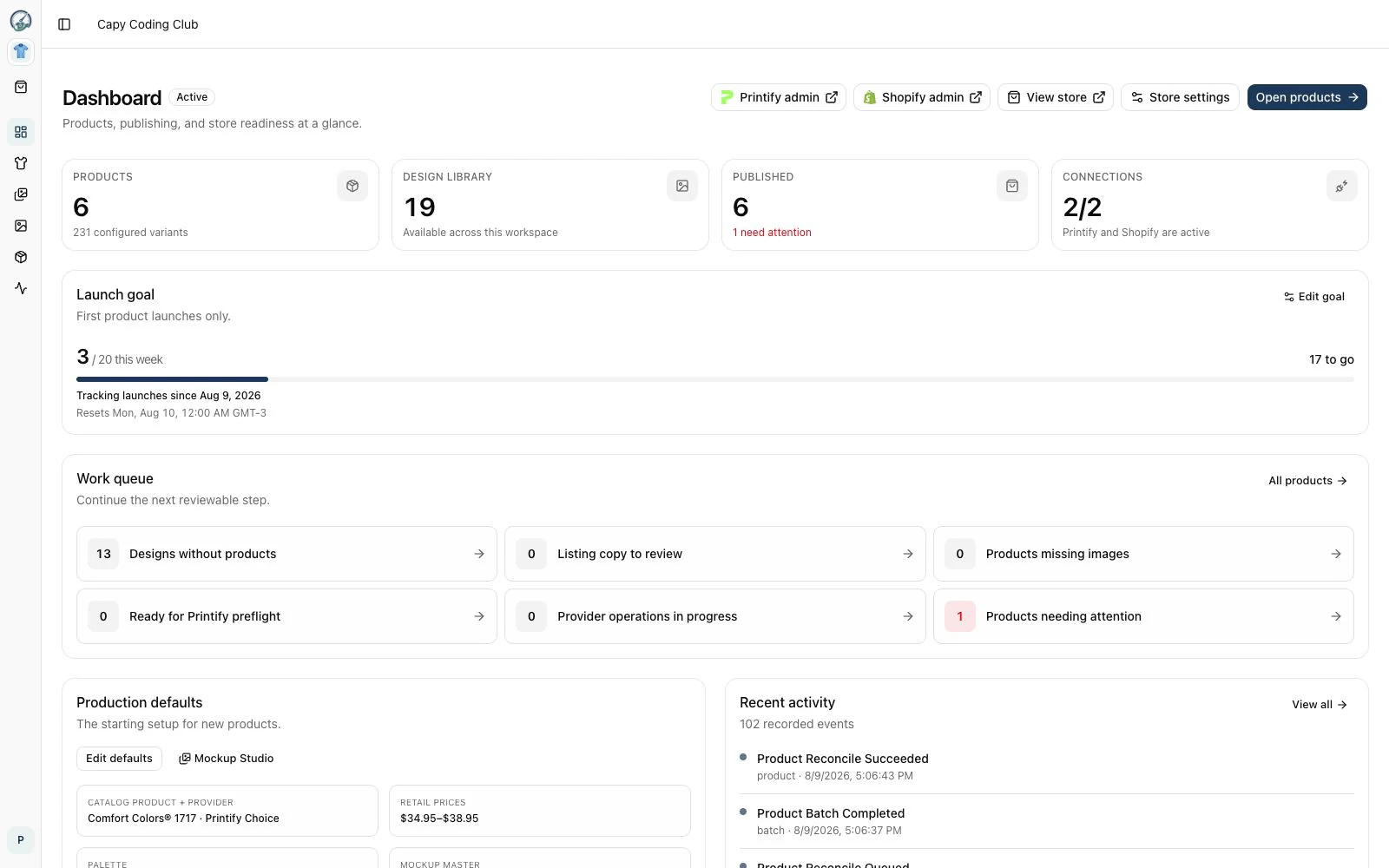
Live workflow Products, publishing progress, and provider state at a glance.
One operational record
Where the work disappears
NeedlePOD is built for the gap between those two moments: the repetitive decisions that slow a catalog down and the invisible mistakes that make publishing stressful.
Garments, colors, sizes, scenes, copy, pricing, and placement get rebuilt across disconnected tabs.
Placement looks plausible until the wrong scale, offset, variant, or provider proof reaches a customer.
Printify and Shopify disagree, a write stalls, or the next action gets buried in another dashboard.
Real product, not a concept
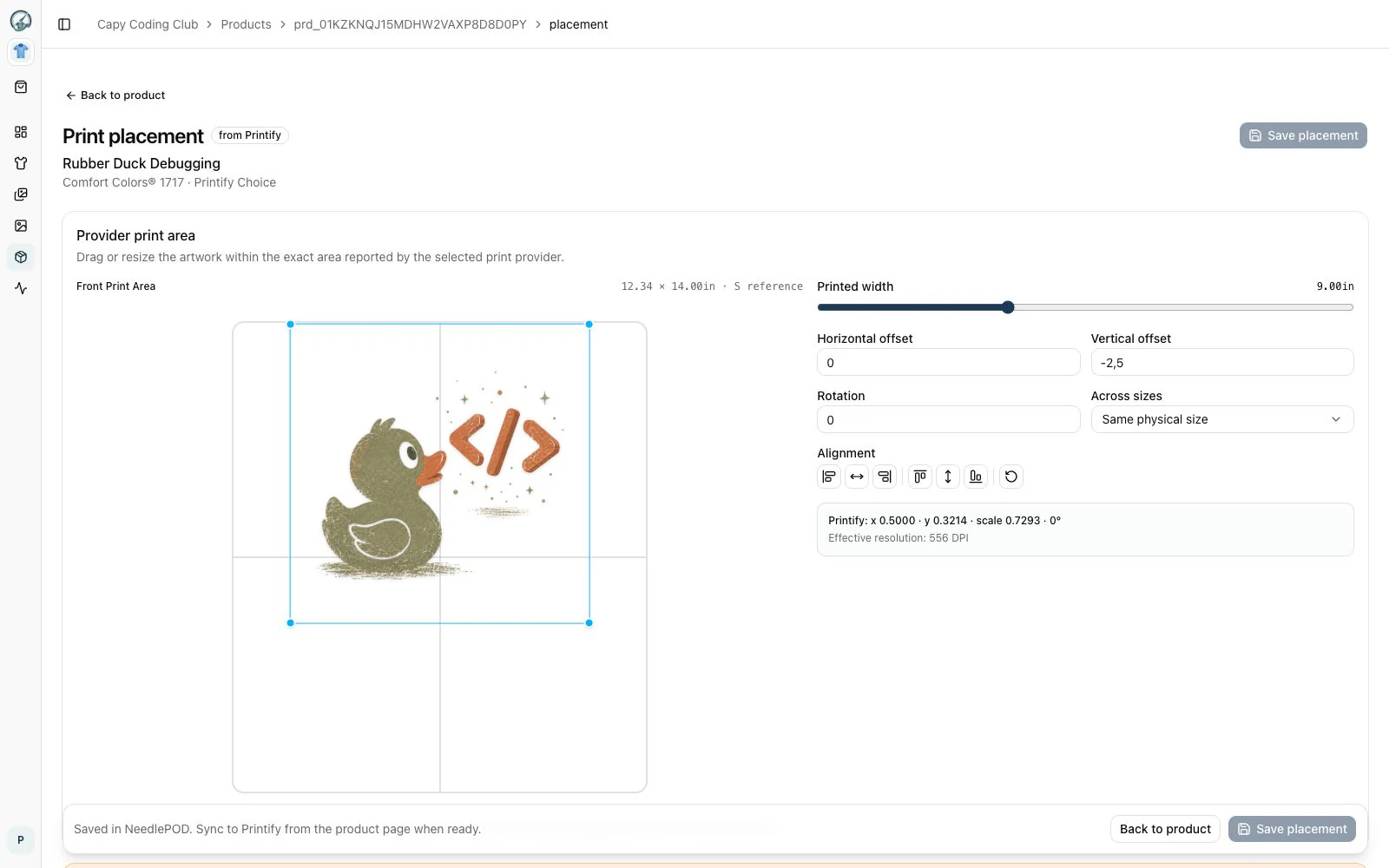
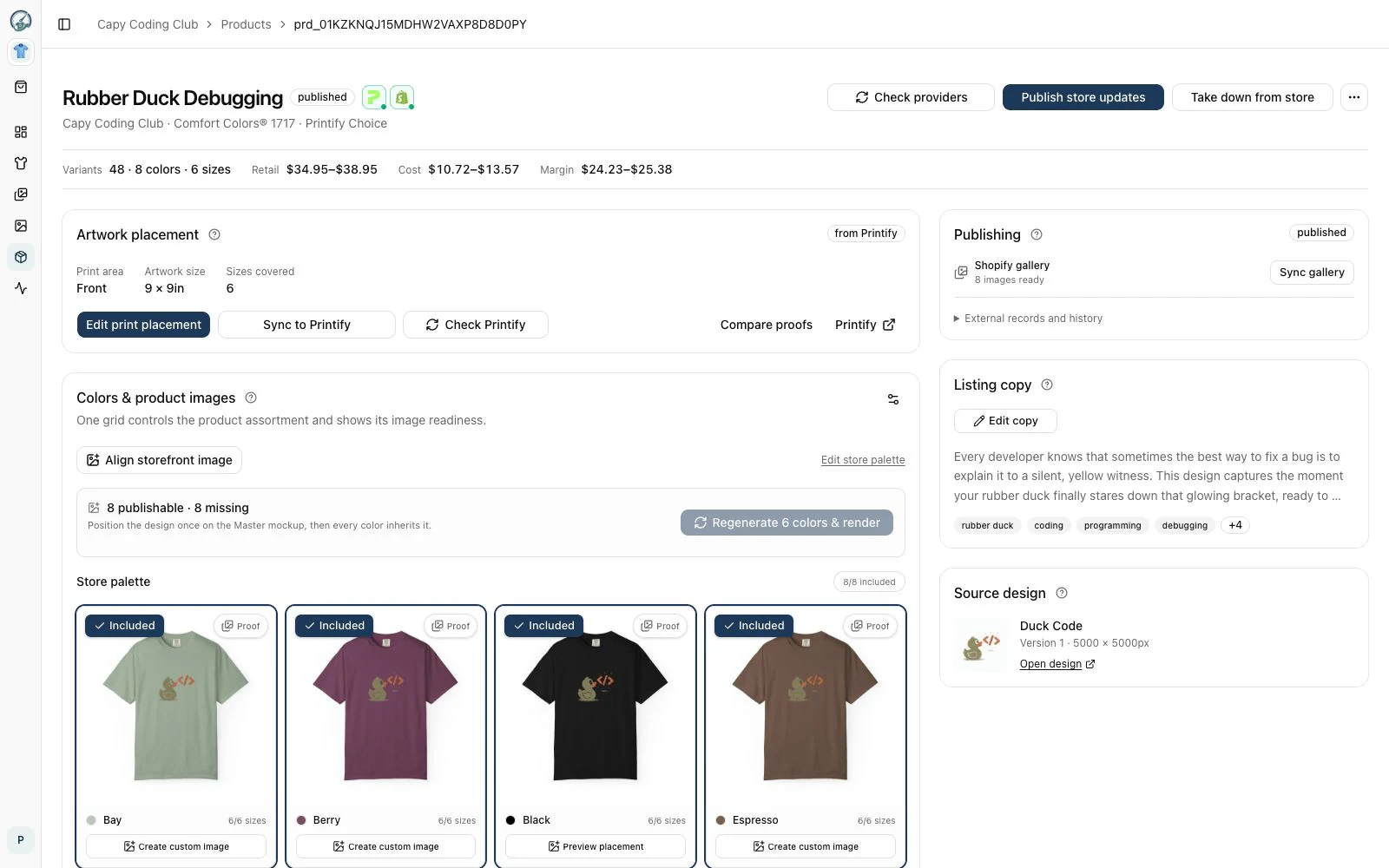
NeedlePOD puts product intent and provider reality in the same workspace. These are captures from the working application.
Work against the provider’s real geometry and keep scale, position, rotation, and resolution readable while you make the call.
Copy, gallery, artwork, pricing, variants, and synchronization stay attached to the product they describe.
One connected workflow
No handoff document. No mystery tab. No publish button that hides what happens next.
Upload once, understand print quality, and find the right artwork again.
Choose the garment, variants, placement, pricing, and listing story.
Approve proofs and assemble the images customers will actually shop.
Send a complete product to Printify and Shopify with visible progress.
Automation with a checkpoint
Speed matters, but not at the cost of a bad print or a surprise storefront change. Every publish starts with a visible readiness check and your approval.
Get early access →Before you join
NeedlePOD is being built for print-on-demand operators who want to move from a growing design library to consistent, sellable products without manually coordinating every step.
The initial workflow connects Printify production with Shopify storefront publishing. The waitlist helps us understand which integrations should come next.
No. You review the product, its assets, and its readiness before starting a publish. NeedlePOD is designed to make provider changes visible, deliberate, and recoverable.
Existing-store workflows are part of the product direction. Tell us about your current setup when you join, and we’ll use that context to shape early access.
We’ll email you about early access and occasional product research. Joining is free, and you can ask to be removed at any time.
Early access
Join the first group of POD operators helping shape a calmer path from artwork to storefront.
Counting interested POD operators…
We’ll be in touch about early access and useful product research.